Preface
About the author
李辉 (Grey Li)
I started teaching myself to program in 2015. Python and Flask were the first language and framework I learned. After some learning and experimentation, I began writing 《Flask Web 开发实战》 (Flask Web Development in Practice). In the same year that the book was published, I became a Flask maintainer. Over the years since then, I have contributed a substantial amount of code to Flask and many Flask extensions. My new book, 《Flask 从入门到进阶》 (Flask: From Beginner to Advanced), an updated successor to my first book, is scheduled for publication in November 2025.
Flask remains my favorite Python web framework. I hope to contribute more to its community in the years ahead.
Visit my personal website to learn more, or subscribe to my newsletter by email.
About this book
Flask (https://github.com/pallets/flask) is a web framework written in Python that helps you build web applications efficiently. A web application is a program you interact with through a browser, often called a website or web app. Sites such as Douban, Zhihu, and Baidu, which people visit in their browsers every day, are all web applications.
In this book, you will learn the basics of Flask development and build a simple application called Watchlist for keeping track of movies. If you are curious, you can first read other readers' reflections and see what they have built here: https://codekitchen.community/t/topic/64.
When you want to achieve a large goal, you usually break it into smaller goals and tackle them one at a time. Building software works the same way. Creating something like Douban or IMDb right away may be unrealistic, but you can start by reproducing a small part of it. Our Watchlist application is a good place to begin. In terms of features, it is a simplified version of an IMDb Watchlist or a Douban movie list: you can add, delete, and edit information about movies you have saved.
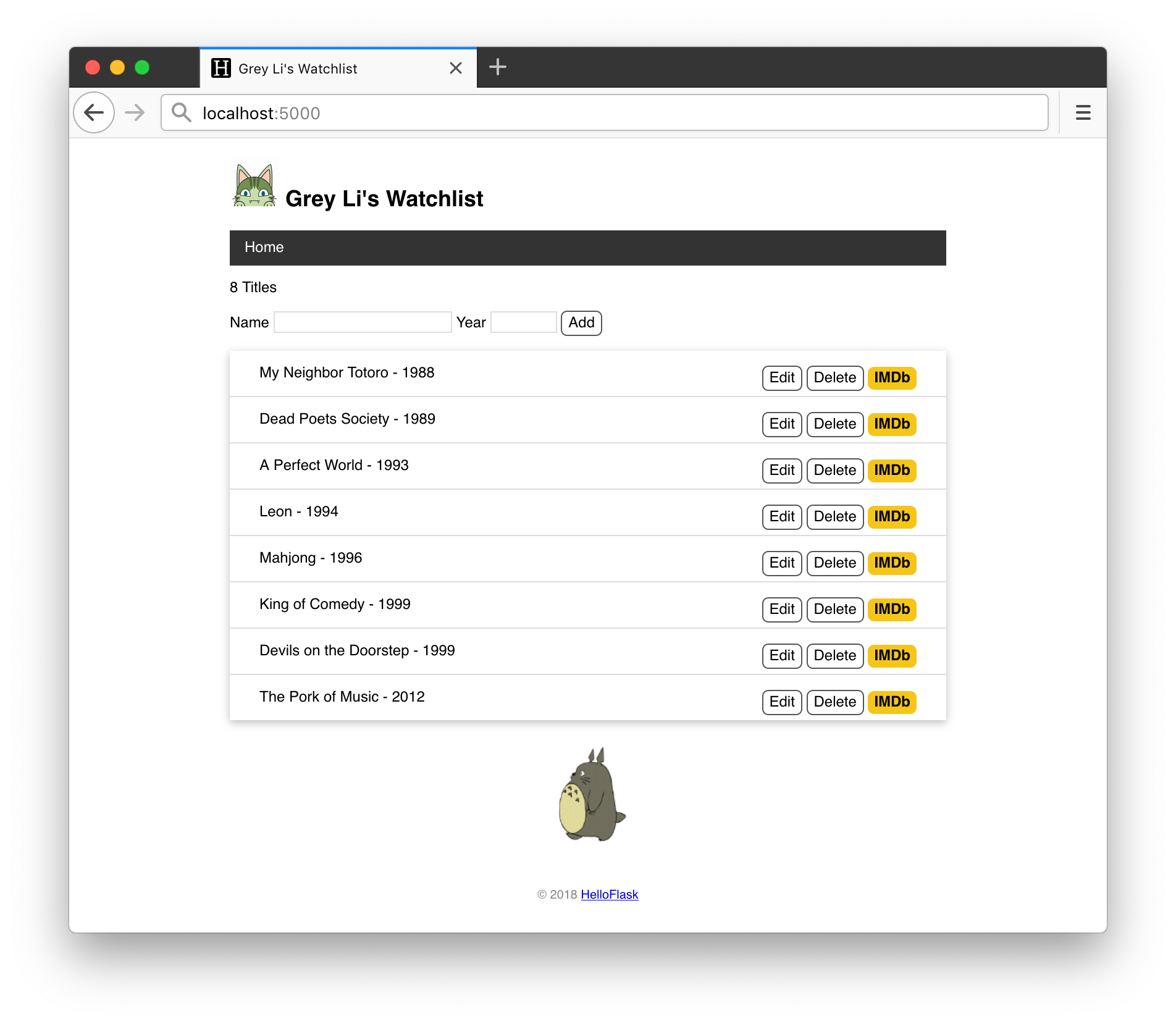
Visit http://watchlist.helloflask.com to try the live demo. The example application's source code is available at https://github.com/helloflask/watchlist. If you cannot access GitHub, you can find a way to access it download the source code here. Read the README.md file in the source repository for instructions on running the application.
What this book offers
- Based on Flask 3.1.x, the latest series at the time of writing
- One Watchlist application used as the example throughout the book
- The complete development process, so you can write the application along with me
- Just the information you need to get started, making it easier to build confidence
- Explanations that introduce unfamiliar terms through familiar concepts
How to read this book
This book walks through the entire process of building Watchlist, including every block of code and every command you need to run. As you read, type in each code example and command yourself, and check that the output matches the book. You can also make changes along the way. For example, the application's interface is in English, but you can change it to Chinese or another language. You are also free to change the page layout and styling.
By the end of the book, you will deploy your own Watchlist application to the internet so that anyone can visit it.
Discussion and help
If you would like to discuss Flask, web development, or related topics with other learners, or if you run into a problem and need help, here are some places to go:
- Code Kitchen community (the Steak Overcooked section)
- HelloFlask QQ group (419980814)
Feedback and corrections
You are welcome to send feedback, suggestions, and corrections in any of these ways:
- Open an issue in the source repository.
- Post in the Code Kitchen community under the “Flask 入门教程” (Flask for Beginners) category.
- Email the author at flasktutorial@greyli.com.
Resources
- Book homepage: http://helloflask.com/book/3
- Book forum: https://codekitchen.community
- Book source: https://github.com/helloflask/flask-tutorial
- Example application source: https://github.com/helloflask/watchlist
- Example application source download: https://helloflask.com/downloads/watchlist.zip
- Live demo: http://watchlist.helloflask.com